

Exporting The Data
Fri, 12/19/2008 - 11:42 — admin
Zaitun Time Series provides a facility to export the data created by Zaitun Time Series to another format. There are 2 formats available, CSV file and Excel File. Zaitun Time Series will export all of variables in the current project into a new CSV or Excel File, but it will not export the group data and the result data.
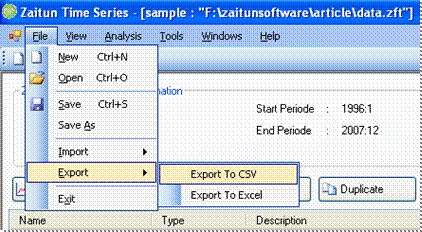
To export the current Zaitun Time Series project into a CSV file:
- Click File -> Export -> Export to CSV
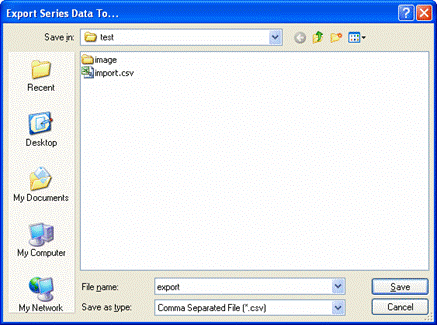
- Export to CSV dialog appear. Save the CSV file into the directory as you want
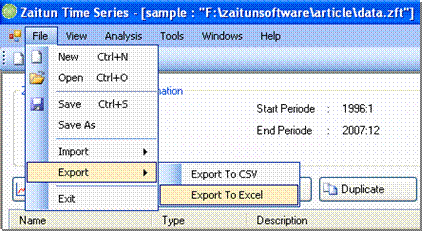
To export the current Zaitun Time Series project into an Excel file:
- Click File -> Export -> Export to Excel
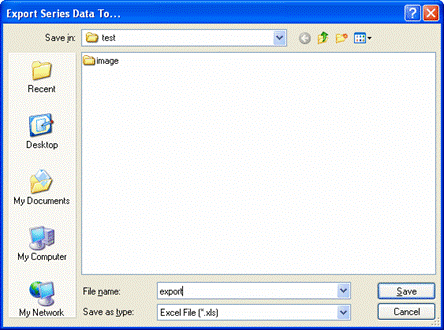
- Export to Excel dialog appear. Save the excel file into the directory as you want
- Login to post comments